R的极客理想系列文章,涵盖了R的思想,使用,工具,创新等的一系列要点,以我个人的学习和体验去诠释R的强大。
R语言作为统计学一门语言,一直在小众领域闪耀着光芒。直到大数据的爆发,R语言变成了一门炙手可热的数据分析的利器。随着越来越多的工程背景的人的加入,R语言的社区在迅速扩大成长。现在已不仅仅是统计领域,教育,银行,电商,互联网….都在使用R语言。
要成为有理想的极客,我们不能停留在语法上,要掌握牢固的数学,概率,统计知识,同时还要有创新精神,把R语言发挥到各个领域。让我们一起动起来吧,开始R的极客理想。
关于作者:
- 张丹,数据分析师/程序员/Quant: R,Java,Nodejs
- blog: http://blog.fens.me
- email: bsspirit@gmail.com
转载请注明出处:
http://blog.fens.me/r-tsibble/
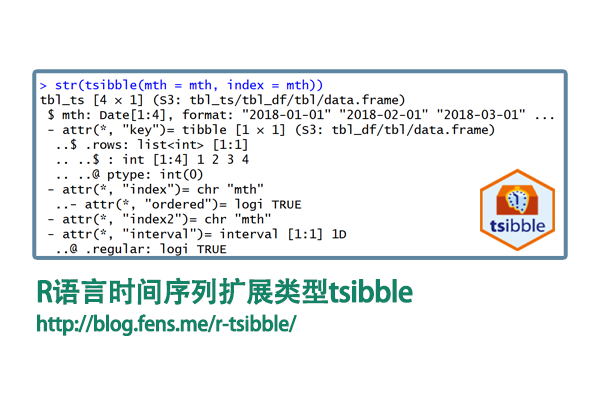
前言
数据科学tidyverse个项目,已经很大程度上改写的R语言的编程范式,tibble作为标准的数据结构,已替代了基础的data.frame。tsibble作为tibble对时间序列的补充,近一步规范化了数据结构,让编程更简洁。
目录
- tsibble介绍
- tsibble安装
- tsibble包的基本使用
1. tsibble介绍
tsibble是一个tibble的扩展项目,用于扩展对于时间序列数据,形成一个标准化的时间序列数据结构。tibble数据类型请参考文档,R语言数据科学新类型tibble
tsibble 包提供了一个 tbl_ts 数据类,用于表示标准化的时间数据。一个 tsibble 由一个时间索引、键和其他测量变量组成,采用以数据为中心的格式,构建在 tibble 之上。
tsibble的官方网站:https://tsibble.tidyverts.org/
1.1 索引
tsibble的核心设计,就在索引的的结构。tsibble 支持广泛的索引类别:
- R 语言原生时间结构(如 Date、POSIXct 和 difftime)
- tsibble 新增的类(如 yearweek、yearmonth 和 yearquarter)
- 其他常用类:ordered、hms::hms、lubridate::period 和 nanotime::nanotime
对于具有规则间隔的 tbl_ts,需要选择索引的表示形式。例如,月度数据应使用 yearmonth 创建的时间索引,而不是 Date 或 POSIXct。因为一年中的月份确保了规律性,每年都是12个月。然而,如果使用 Date,一个月的天数在28到31天之间变化,会导致不规则的时间空间。这也适用于年-周和年-季度。
tsibble 支持任意的索引类别,只要它们能按从过去到未来的顺序排列。要支持自定义类,需要为该类定义 index_valid(),并通过 interval_pull() 计算时间间隔。
1.2 键
键变量与索引一起唯一标识每条记录:
- 空键:一个隐式变量。NULL 表示生成单变量时间序列。
- 单个变量:例如,data(pedestrian) 使用 Sensor 作为键。
- 多个变量:例如,为 data(tourism) 声明 key = c(Region, State, Purpose)。键可以与 tidy 选择器(如 starts_with())结合使用。
1.3 时间间隔:
时间间隔:interval 函数返回与 tsibble 关联的时间间隔。
- 规则间隔:包括其值和时间单位:”nanosecond”(纳秒)、”microsecond”(微秒)、”millisecond”(毫秒)、”second”(秒)、”minute”(分)、”hour”(时)、”day”(日)、”week”(周)、”month”(月)、”quarter”(季)、”year”(年)。无法识别的时间间隔标记为 “unit”。
- 不规则间隔:as_tsibble(regular = FALSE) 生成不规则 tsibble,标记为 !。
- 未知间隔:标记为 ?,如果是空的 tsibble,或者每个键变量只有一个条目。
时间间隔基于相应的索引表示形式获得:
- “year” (Y)
- yearquarter:”quarter” (Q)
- yearmonth:”month” (M)
- yearweek:”week” (W)
- Date:”day” (D)
- difftime:”week” (W)、”day” (D)、”hour” (h)、”minute” (m)、”second” (s)
- POSIXt/hms:”hour” (h)、”minute” (m)、”second” (s)、”millisecond” (us)、”microsecond” (ms)
- period:”year” (Y)、”month” (M)、”day” (D)、”hour” (h)、”minute” (m)、”second”
- nanotime:”nanosecond” (ns)
- 其他数值 & ordered(有序因子):”unit”。当由于索引格式不匹配而无法获取时间间隔时,会发出错误。
(s)、”millisecond” (us)、”microsecond” (ms)
时间间隔对子集操作(如 filter()、slice() 和 [.tbl_ts)保持不变。但是,如果结果是一个空的 tsibble,时间间隔总是未知的。当将 tsibble 与其他数据源连接并聚合到不同的时间尺度时,时间间隔会被重新计算。
1.4 时区
如果索引是 POSIXct,将显示索引对应的时区。? 表示获取到的时区是零长度字符 “”。
2. tsibble安装
tsibble包的安装,安装tsibble包非常简单,2条命令就可以完成,安装和加载。
# 安装
> install.packages("tsibble")

# 加载
> library(tsibble)
3. tsibble包的基本使用
3.1 构建年月日数据
构建一个tsibble数据集,“年月日”格式
# 加载时间包
> library(lubridate)

# 创建一个年月的时间
> mth <- make_date("2018") + months(0:3)
> mth
[1] "2018-01-01" "2018-02-01" "2018-03-01" "2018-04-01"

# 构造tsibble:年月日
> tsibble(mth = mth, index = mth)
# A tsibble: 4 x 1 [1D]
  mth

1 2018-01-01
2 2018-02-01
3 2018-03-01
4 2018-04-01

# 构造tsibble:年月
> tsibble(mth = yearmonth(mth), index = mth)
# A tsibble: 4 x 1 [1M]
       mth

1 2018 1月
2 2018 2月
3 2018 3月
4 2018 4月
3.2 构建时分秒数据
构建一个tsibble数据集,“时分秒”格式。
# 构建一个时间类型,时区为shanghai
> x <- ymd_h("2015-04-05 01", tz = "Asia/Shanghai")

# 构建tsibble的时间类型
> tsibble(time = x + (c(0, 3, 6, 9)) * 60 * 60, index = time)
# A tsibble: 4 x 1 [3h]
  time

1 2015-04-05 01:00:00
2 2015-04-05 04:00:00
3 2015-04-05 07:00:00
4 2015-04-05 10:00:00

> tsibble(time = x + hours(c(0, 3, 6, 9)), index = time)
# A tsibble: 4 x 1 [3h]
  time

1 2015-04-05 01:00:00
2 2015-04-05 04:00:00
3 2015-04-05 07:00:00
4 2015-04-05 10:00:00
3.3 数据合并
分别创建数据集tsbl1为小时和数据集tsbl2为30分钟,把tsbl1和tsbl2进行合并,以小单位(30分钟)为结果输出。
> tsbl1 <- tsibble(
+   time = make_datetime(2018) + hours(0:3),
+   station = "A",
+   index = time, key = station
+ ) %>% print()
# A tsibble: 4 x 2 [1h]
# Key:       station [1]
  time                station

1 2018-01-01 00:00:00 A
2 2018-01-01 01:00:00 A
3 2018-01-01 02:00:00 A
4 2018-01-01 03:00:00 A

> tsbl2 <- tsibble(
+   time = make_datetime(2018) + minutes(seq(0, 90, by = 30)),
+   station = "B",
+   index = time, key = station
+ ) %>% print()
# A tsibble: 4 x 2 [30m]
# Key:       station [1]
  time                station

1 2018-01-01 00:00:00 B
2 2018-01-01 00:30:00 B
3 2018-01-01 01:00:00 B
4 2018-01-01 01:30:00 B

# 数据合并
> bind_rows(tsbl1, tsbl2)
# A tsibble: 8 x 2 [30m]
# Key:       station [2]
  time                station

1 2018-01-01 00:00:00 A
2 2018-01-01 01:00:00 A
3 2018-01-01 02:00:00 A
4 2018-01-01 03:00:00 A
5 2018-01-01 00:00:00 B
6 2018-01-01 00:30:00 B
7 2018-01-01 01:00:00 B
8 2018-01-01 01:30:00 B
3.4 类型转换:tibble转tsibble
把tibble转tsibble类型。
# 创建数据tibble
> x <- make_datetime(2018) + minutes(0:1)
> tbl <- tibble(
+     time = c(x, x + minutes(15)),
+     station = rep(c("A", "B"), 2)
+ )

# 类型转换
> tbl %>%
+     mutate(time = floor_date(time, unit = "15 mins")) %>%
+     as_tsibble(index = time, key = station)
# A tsibble: 4 x 2 [15m]
# Key:       station [2]
  time                station

1 2018-01-01 00:00:00 A
2 2018-01-01 00:15:00 A
3 2018-01-01 00:00:00 B
4 2018-01-01 00:15:00 B
3.5 类型转换:data.frame转tsibble
data.frame转tsibble。
> df<-data.frame(
+     date=as.Date("2020-01-01")+1:1000,
+     type=sample(10,1000,replace = TRUE),
+     v1=rnorm(1000),
+     v2=runif(1000,0,1)
+ )

> as_tsibble(df,index = date, key = type)
# A tsibble: 1,000 x 4 [1D]
# Key:       type [10]
   date        type     v1     v2

 1 2020-01-20     1 -1.08  0.418
 2 2020-02-02     1 -0.535 0.500
 3 2020-02-05     1 -0.575 0.160
 4 2020-02-11     1 -0.213 0.148
 5 2020-03-02     1  0.876 0.0332
 6 2020-03-30     1  0.872 0.475
 7 2020-04-09     1  1.05  0.539
 8 2020-04-10     1 -1.51  0.641
 9 2020-05-10     1 -0.630 0.632
10 2020-06-12     1 -0.316 0.885
# ℹ 990 more rows
# ℹ Use `print(n = ...)` to see more rows
3.6 tibble和tsibble的数据操作对比
tibble数据操作,需要定义group_by()字段。
> tbl<-tibble(df)
> tbl %>%
+   group_by(type,date) %>%
+   summarise(
+     v1_high = max(v1, na.rm = TRUE),
+     v1_low = min(v1, na.rm = TRUE)
+   )
`summarise()` has regrouped the output.
ℹ Summaries were computed grouped by type and date.
ℹ Output is grouped by type.
ℹ Use `summarise(.groups = "drop_last")` to silence this message.
ℹ Use `summarise(.by = c(type, date))` for per-operation grouping instead.
# A tibble: 1,000 × 4
# Groups:   type [10]
    type date       v1_high  v1_low

 1     1 2020-01-07 -0.657  -0.657
 2     1 2020-01-15  1.87    1.87
 3     1 2020-01-27  0.396   0.396
 4     1 2020-01-28 -1.29   -1.29
 5     1 2020-01-29 -1.60   -1.60
 6     1 2020-02-12  0.825   0.825
 7     1 2020-02-21 -0.908  -0.908
 8     1 2020-02-28 -1.33   -1.33
 9     1 2020-02-29  0.0145  0.0145
10     1 2020-03-06  0.177   0.177
# ℹ 990 more rows
# ℹ Use `print(n = ...)` to see more rows
tsibble类型,通过group_by_key(),隐式地进行分组
> df_tsbl <- as_tsibble(df, key = type)
Using `date` as index variable.
> df_tsbl %>%
+   group_by_key() %>%
+   summarise(
+     v1_high = max(v1, na.rm = TRUE),
+     v1_low = min(v1, na.rm = TRUE)
+   )
# A tsibble: 1,000 x 4 [1D]
# Key:       type [10]
    type date       v1_high  v1_low

 1     1 2020-01-07 -0.657  -0.657
 2     1 2020-01-15  1.87    1.87
 3     1 2020-01-27  0.396   0.396
 4     1 2020-01-28 -1.29   -1.29
 5     1 2020-01-29 -1.60   -1.60
 6     1 2020-02-12  0.825   0.825
 7     1 2020-02-21 -0.908  -0.908
 8     1 2020-02-28 -1.33   -1.33
 9     1 2020-02-29  0.0145  0.0145
10     1 2020-03-06  0.177   0.177
# ℹ 990 more rows
# ℹ Use `print(n = ...)` to see more rows
tsibble可以方便的帮助我们的整理时间类型的数据,形成干净标准的数据集,让代码看起来更数据。
转载请注明出处:
http://blog.fens.me/r-tsibble/
